

You can promote products online without buying inventory or shipping orders. Affiliate marketing lets you earn commissions on qualifying referrals, while AI video tools such as JoggAI help you create product ads without filming a presenter. The key is to choose a useful offer, publish honest content, and measure whether your videos bring qualified visitors and sales.
Affiliate disclosure: Some links in this article are affiliate links. I may earn a commission if you purchase through them, at no extra cost to you.
Quick Answer
To use JoggAI for affiliate marketing, pick a relevant product, confirm its claims and promotion rules, upload an authorized product image, select an AI Product Avatar, write a short benefit-led script, and generate your video. Add clear affiliate and AI disclosures, publish where your audience watches, and improve future ads using click and conversion data.
Key Takeaways
- Affiliate marketing does not require you to own or deliver the products you recommend.
- JoggAI Product Avatar can turn a product image and a script into an AI-presented video ad.
- Product Avatar and Video Translation require paid access under JoggAI’s current plan descriptions.
- Short scripts, accurate product details, captions, and targeted calls to action make ads more useful.
- Disclose affiliate relationships and realistic AI-generated content when required. No AI tool guarantees sales.
At a Glance
| Best For | Affiliate marketers, dropshippers, creators, product reviewers, and small businesses |
|---|---|
| Main Tool | JoggAI Product Avatar and its video editing tools |
| Skill Level | Beginner-friendly, but basic marketing and editing judgment still matter |
| Main Goal | Create and test accurate product videos that support relevant clicks and conversions |
| Access and Cost | Limited free registration credits; Product Avatar requires a paid plan. Credits and limits vary. |
There are several ways to work in e-commerce without making your own physical products. You might recommend products sold on Amazon, eBay, or other marketplaces, publish a niche affiliate website, or build a store around suppliers’ items. Platforms such as Shopify and social commerce channels offer different ways to reach shoppers.
If you do not want to handle orders or returns, affiliate marketing is often the simpler starting point. You create helpful content and refer customers to merchants. You earn money only when your referrals meet the relevant program’s commission rules.
This guide explains how to use JoggAI to make AI product video ads, review their accuracy, and test them across channels. It is a production tool, not a replacement for a good offer or a reliable traffic strategy.
Ways to Earn E-commerce Income Without Owning Products
These business models have different responsibilities. Choose one before deciding how to promote offers.
- Affiliate marketing: Recommend another company’s product and earn a commission on qualifying actions. The merchant normally handles checkout, delivery, and returns.
- Dropshipping: Sell through your own store while a supplier ships the product. You still act as the seller and may be responsible for payments, service, refunds, and consumer obligations.
- Digital products and licensed offers: Sell content or software you have created or are authorized to resell. Check license terms and customer support duties.
- Creator partnerships: Produce promotional content for brands under an agreed fee or commission arrangement. Deliverables and disclosure duties depend on the agreement.
If you are starting from scratch, pick one audience and one model. Spreading your efforts across several stores, niches, and channels makes it harder to learn what works.
Why You Need a Strong Marketing Strategy for E-commerce
Popular marketplaces and social feeds are crowded. A generic product link gives shoppers little reason to trust your recommendation. A clear video can explain the problem, show relevant features, and direct viewers to a detailed review or merchant listing.
Before creating an ad, define your buyer, the product’s real benefit, and where you want people to go after watching. For example, a short video about a travel organizer could focus on how its compartments work, then direct viewers to a comparison page. Avoid stating that it performs better than competitors unless you can support that claim.
Pro Tip: Create separate video versions for different needs, such as easy setup, compact storage, or everyday convenience. Change one main message at a time so you can learn which angle works better.
What Is JoggAI Product Avatar?
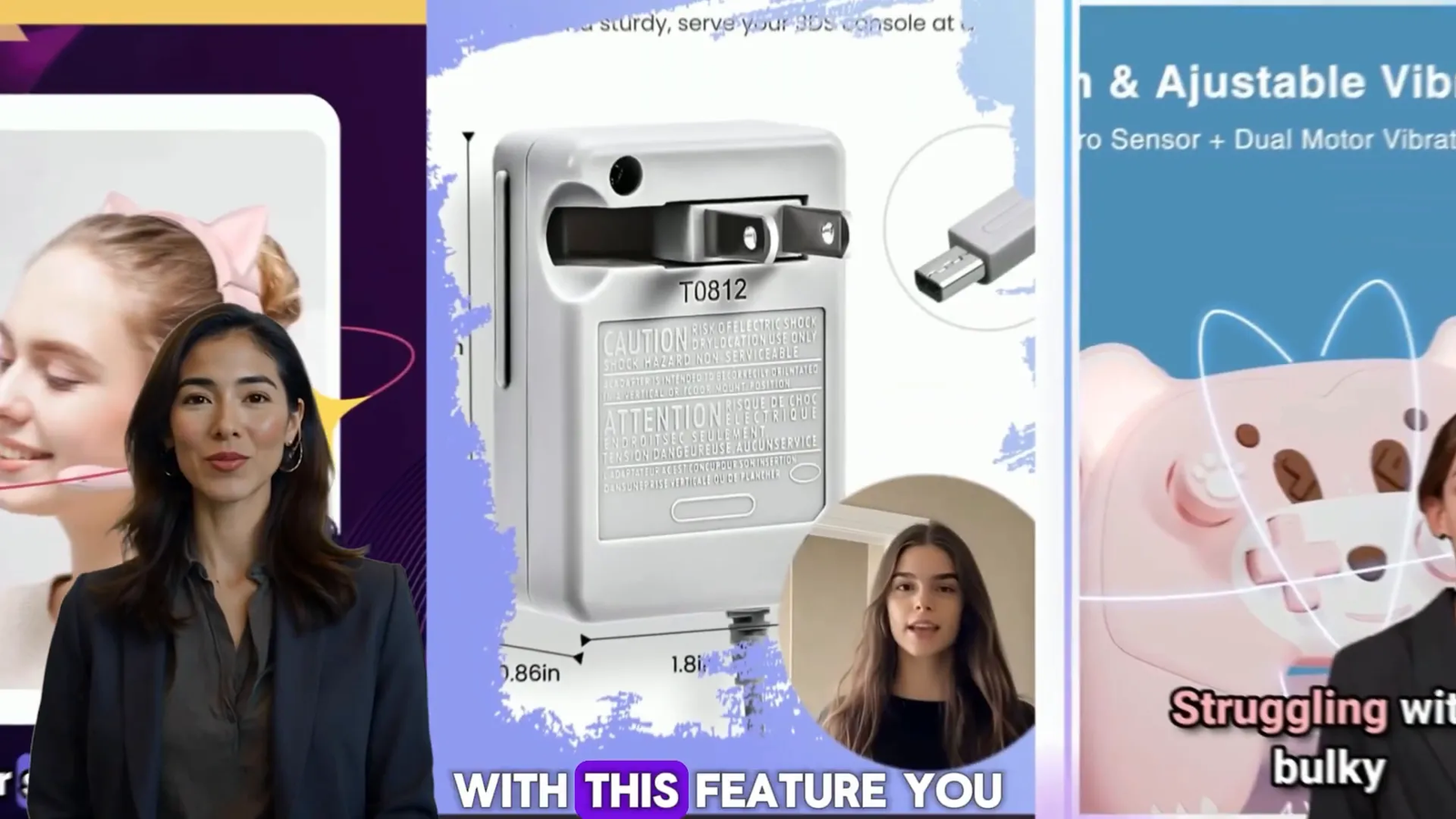
JoggAI is an AI video creation platform. Its Product Avatar feature places a selected or customized digital presenter alongside a product image to create a video ad. According to JoggAI’s official Product Avatar page, users can select an avatar, adjust its appearance or movement, and add a script or audio.
The tool can make a virtual presenter appear to hold or demonstrate an item. That scene is generated content, not proof that a real person handled or tested the product. Review every frame for incorrect labels, altered shapes, and unrealistic demonstrations before publishing.
Is JoggAI Product Avatar Free?
JoggAI offers limited free registration credits, but its current pricing information lists Product Avatar and Video Translation among features that require a paid plan. Free credits do not renew each month. Plan limits, available models, credit costs, and promotions may change, so check the official pricing page before subscribing.
Note: JoggAI can speed up video creation, but it does not provide a customer audience, validate product claims, or guarantee sales. Check what each render costs in credits before generating multiple versions.
How JoggAI Fits an Affiliate Marketing Workflow
Build the recommendation first and the video second. A useful affiliate campaign begins with a product that fits your audience and a merchant program that allows your intended promotion methods. Check commission terms, social-media rules, use of trademarks, and whether direct affiliate links are permitted.
- Choose a narrow topic and find a product that solves a specific problem.
- Read the manufacturer’s specifications, restrictions, and product images or media permissions.
- Create a helpful destination page, such as a review, buying guide, or comparison, where appropriate.
- Write a concise video script that explains one verified benefit.
- Use JoggAI to generate, review, caption, and export the ad.
- Publish with appropriate disclosures and track visitors and qualifying conversions.
For a website-led strategy, combine detailed blog content with short videos. You can also read this affiliate traffic and content workflow for ideas, while following each community’s rules on promotions and automated posts.
How to Create a Product Avatar Video With JoggAI
These steps follow JoggAI’s documented Product Avatar workflow. You can open JoggAI to follow along. Menu names and model choices may change with platform updates, so use the closest matching option in your account.
Step 1: Prepare and Upload Your Product Image
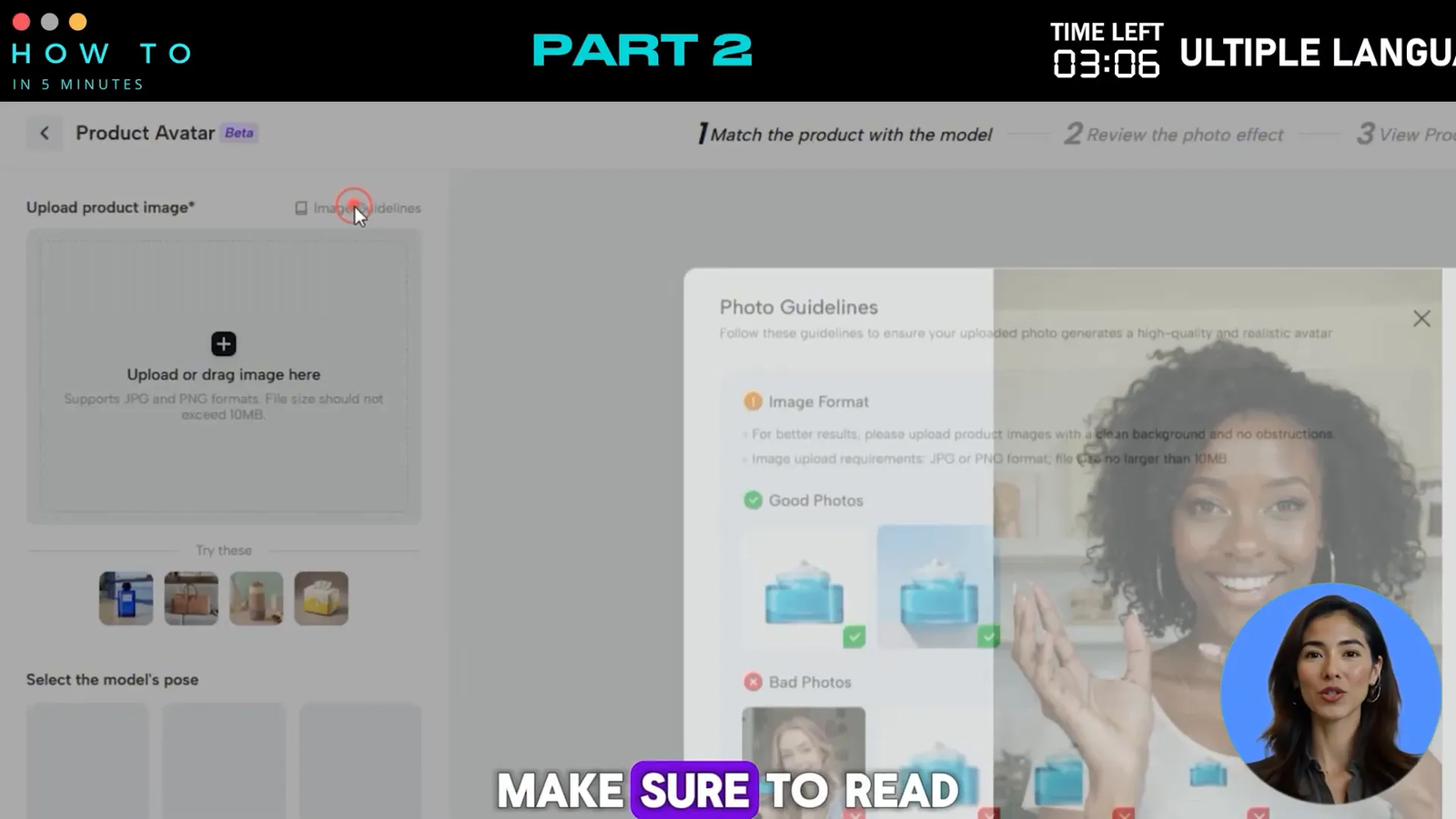
Sign in to JoggAI and open the Product Avatar tool. You may find it in the product ad or avatar tools area. Use a clear image that you have permission to use, with the entire item visible and no distracting background.
Check that the image matches the exact product and variant you plan to recommend. Never edit a product image in a way that misstates what the buyer receives.
Step 2: Adjust the Product Placement
Position the item so its main features are easy to see. Preview the composition, especially if the avatar will appear to hold the product. Use the available crop, placement, and image variation tools if your plan supports them.
Look for distorted packaging, wrong branding, missing buttons, or invented accessories. Recreate the scene if the result gives viewers a false impression of the actual item.
Step 3: Choose or Recreate Your Avatar
Select a presenter whose style fits the message and audience. JoggAI offers stock avatars and customization options, although their availability depends on your plan. Preview a few variations rather than choosing the first image automatically.
If you create an avatar from a real person’s face or voice, get the necessary permission. Do not use a synthetic presenter to imply that a real customer or expert endorses the product.
Step 4: Set the Avatar’s Motion and Voice
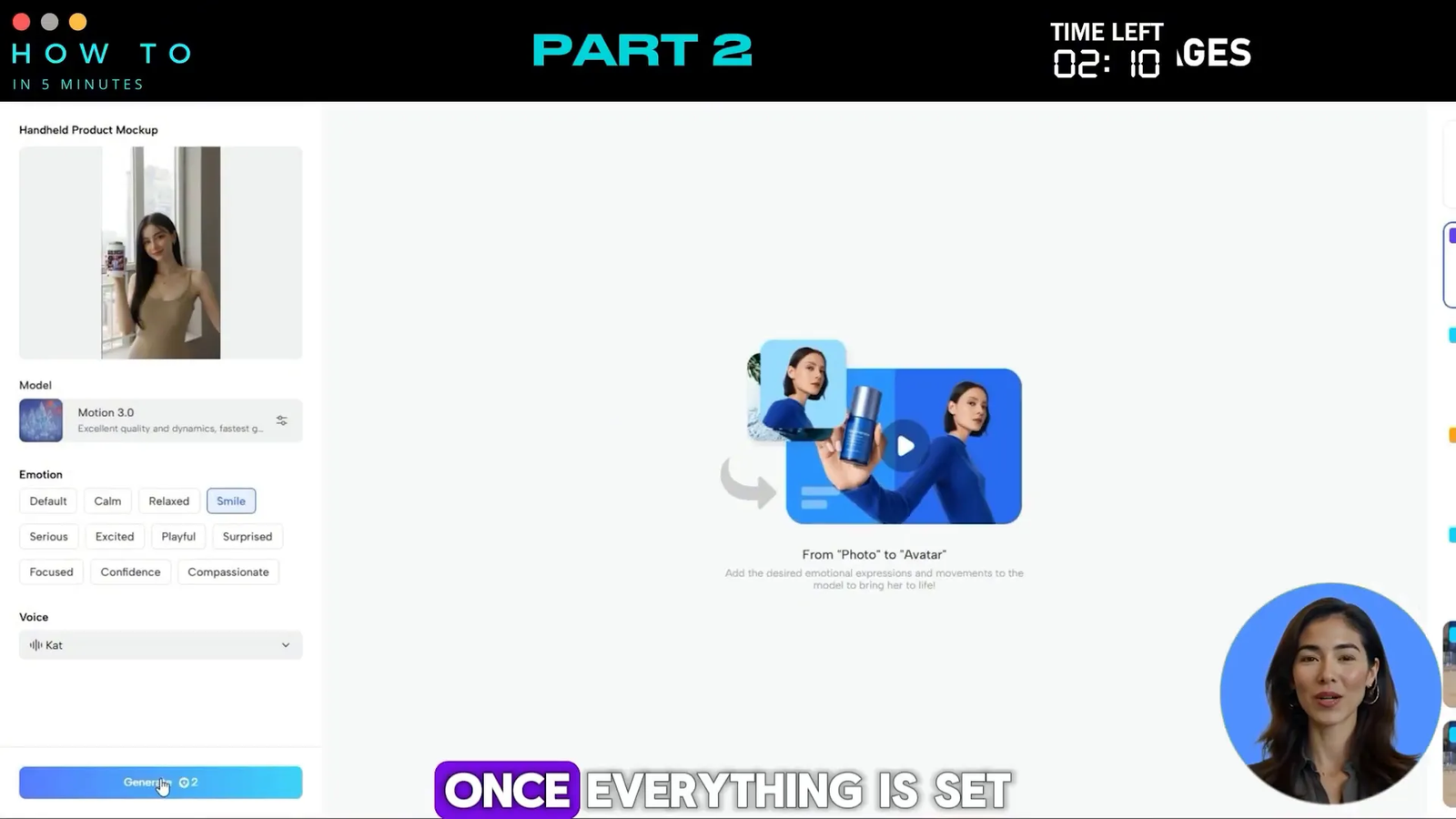
Open the animation or video creation settings. Choose available motion, expression, and voice options that support your script. A calm delivery often works better for product explanations than exaggerated gestures.
Preview any simulated product interaction. AI-generated hand movements and object handling may look convincing while still being inaccurate.
Step 5: Write the Script and Generate the Video
Enter a short script or upload audio if the selected workflow supports it. JoggAI also provides script assistance in supported video tools. Keep each sentence focused on one idea, and review every claim before you generate the video.
Here is a sample script structure for a product with verified storage compartments:
“Tired of searching through your travel bag? This organizer has separate compartments to help keep small items together. See the full size and feature details before deciding whether it fits your next trip.”
This is an example of ad copy, not a claim that a particular organizer has been tested. Replace any feature that you cannot confirm. Add your call to action and check the estimated credit cost before starting the render.
Step 6: Review the Video in the Editor
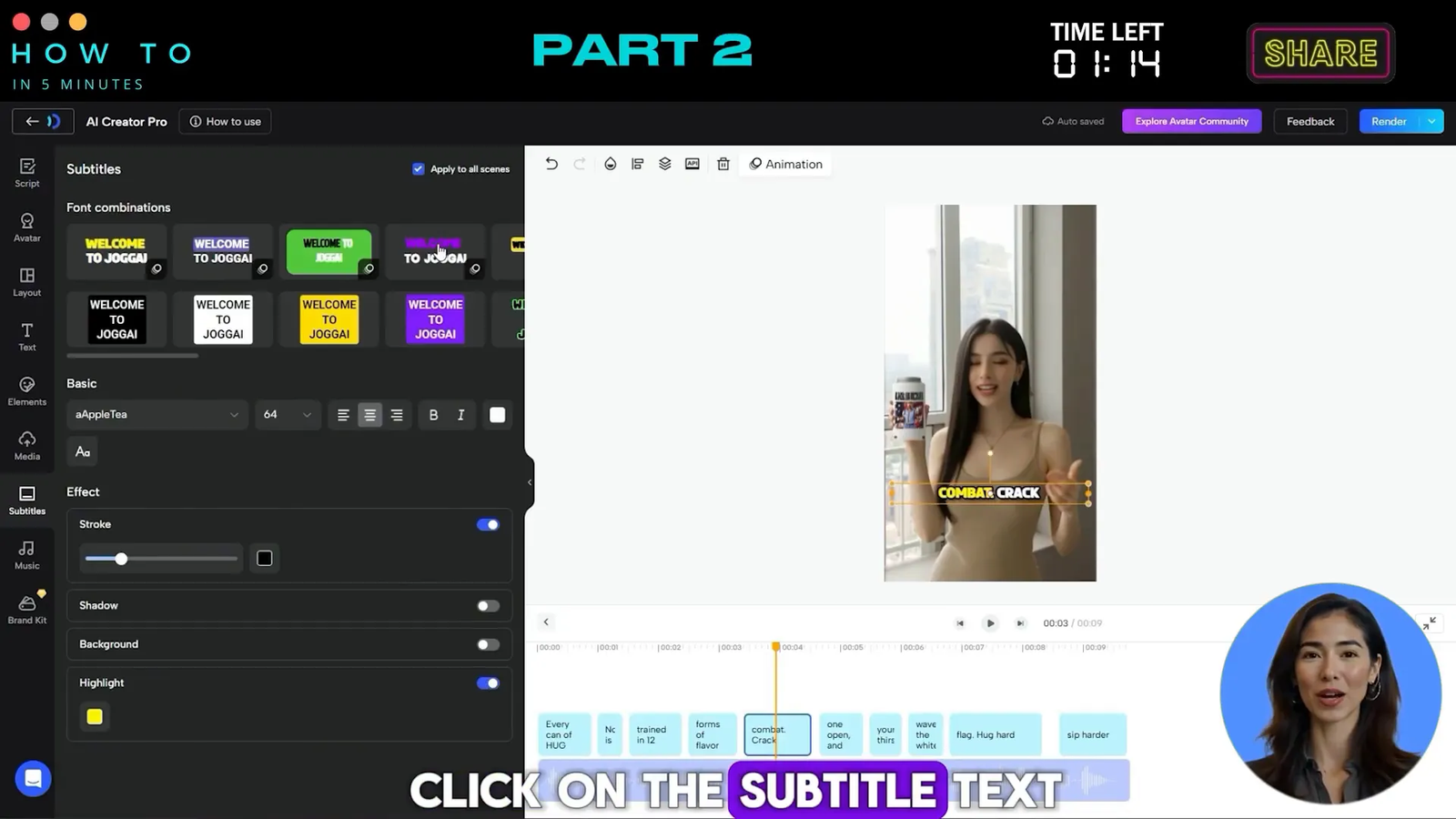
Use the editing tools available in your account to check the spoken words, captions, music, and timing. The interface may offer an option such as Edit More for additional changes. For related editing ideas, see this JoggAI video editor tutorial.
Watch the full export on a phone with and without sound. Make captions readable, keep text away from buttons at the edge of the screen, and lower music if it competes with narration.
Step 7: Translate and Localize Your Ad
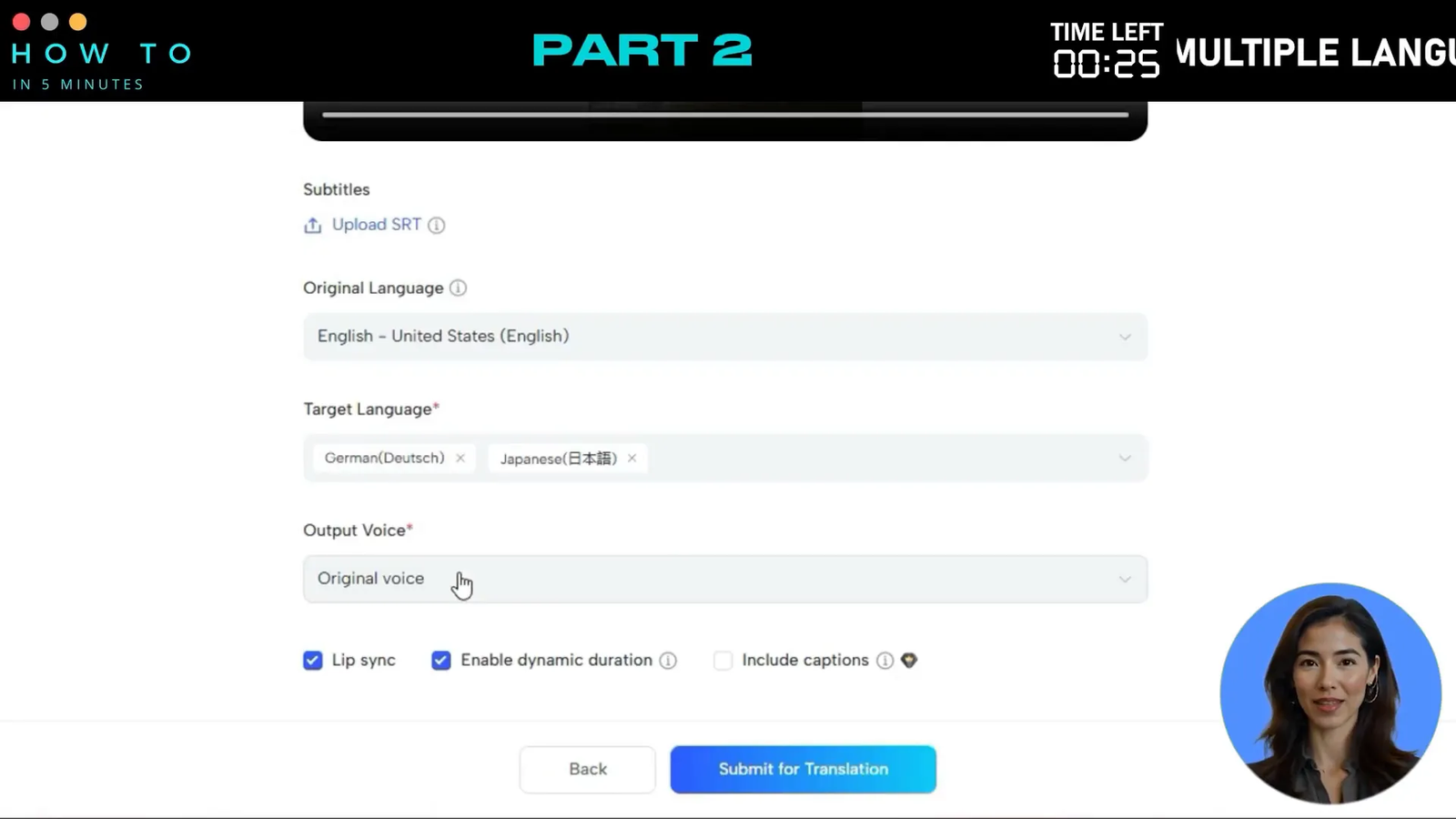
When your plan includes Video Translation, use the translation option for an existing video or upload the export to the translator. Select the target language, review the available voice and lip-sync settings, and add subtitles where suitable. JoggAI’s translation guide explains this workflow.
Do not treat automatic translation as final. Check product terms, currency references, cultural fit, and the local affiliate program. A translated video may reach a new audience, but the linked offer must also be available to that audience.
What Makes a Good AI Product Video Ad?
A useful product video quickly identifies the problem, connects it to a factual benefit, and gives viewers a simple next step. It should sound like an explanation, not an exaggerated sales pitch.
- Hook: Name the need in the first sentence, such as crowded luggage or a messy desk.
- Product fit: Show the exact item and identify who may benefit from it.
- Evidence: Use confirmed dimensions, functions, or demonstrations. Do not invent customer results or hands-on experience.
- Captions: Use short, legible on-screen text that matches the narration.
- Call to action: Invite viewers to read a full comparison, check specifications, or visit an eligible merchant page.
A Simple Ad Script Template
Use the order problem → verified feature → possible benefit → next step. Make separate versions for people who care most about convenience, size, or value. Avoid changing many variables in the same test if you want useful comparisons.
Warning: Never present an AI avatar as a real customer testimonial, claim that you personally tested an item when you did not, or promise guaranteed income or sales. AI-generated visuals can be persuasive even when they are inaccurate.
Benefits and Limitations of JoggAI for Business Growth
JoggAI can reduce the amount of filming and editing involved in preparing early ad concepts. It also makes it easier to try different scripts, presenters, and languages without setting up a separate shoot for each version.
However, it has trade-offs. Paid features and credit usage create ongoing costs. AI avatars may distort products, lip sync may need review, and generic-looking ads can lose viewers’ trust. You also need permission to use product images and any recognizable person’s likeness.
- Useful for: Video concepts, presenter-led explainers, rapid creative variations, captions, and localized drafts.
- Not a substitute for: Real product testing, truthful specifications, merchant approval, customer support, or campaign analytics.
- Best approach: Generate a small batch, review it carefully, then expand only when the results justify the costs.
How to Measure and Improve Affiliate Video Results
Track what viewers do after watching rather than judging a campaign by views alone. Where your affiliate program allows it, use approved tracking identifiers or campaign analytics to separate results from each traffic source.
| Metric | What It Tells You | What to Improve |
|---|---|---|
| Video retention | Whether people keep watching | Opening hook and pacing |
| Click-through rate | How often an impression leads to a click | Message, audience, and call to action |
| Conversion rate | How often visitors complete a desired action | Offer fit and landing-page clarity |
| Net return | Commission earnings after relevant costs | Ad spend, production credits, and offer selection |
Organic posts and paid ads have different economics. For paid campaigns, include media spend and production costs when assessing profit. Account for the affiliate program’s reporting delay, returns, and reversals before treating a commission as final.
Disclosure and Platform Rules for AI Affiliate Ads
State your commission relationship clearly near the recommendation. The FTC’s endorsement guidance explains why a vague label or a disclosure hidden on a separate page may not be enough. For video endorsements, include a clear disclosure in the video when needed, not only at the end of a description.
Platforms also have rules for synthetic media. YouTube requires disclosure of realistic AI-generated or meaningfully altered content in relevant cases. TikTok also has AI-content labeling and commercial-content disclosure rules. Check each platform’s latest policies before publishing an ad.
Keep affiliate disclosures separate from AI-content labels. One tells viewers about the financial relationship; the other tells them how the media was created. Neither gives permission to use copyrighted product images, impersonate people, or make unsupported claims.
Maximize Success With These Strategies
- Choose one niche: Start with a product category your audience already searches for.
- Verify each feature: Use merchant or manufacturer details instead of imagined product demonstrations.
- Test creative angles: Compare hooks, presenter styles, and calls to action without losing your core message.
- Localize carefully: Match language, availability, and links to the target market.
- Publish with a purpose: Send viewers to a useful review or allowed merchant destination instead of a vague homepage.
- Review the numbers: Improve the videos that attract qualified traffic, not merely the most views.
Common Mistakes to Avoid
AI tools make it easy to produce many ads. More uploads will not help if the product, message, or destination is wrong.
- Promoting random items: Focus on offers that match the audience and have a clear use case.
- Claiming personal experience: Do not let an AI presenter imply it has used or reviewed a product in real life.
- Forgetting permission: Check image rights, brand restrictions, and any likeness or voice consent requirements.
- Ignoring disclosures: Make commercial relationships and realistic AI content clear where required.
- Skipping mobile review: Inspect captions, framing, audio, and product details on a phone.
- Relying on a single ad: Test new hooks and messages, then use results to guide the next version.
Frequently Asked Questions
Can I use JoggAI without video editing experience?
Yes. The platform includes avatar creation and editing tools that can help beginners build a video. You still need to check the script, product visuals, captions, and final export for errors.
Do I need to record my own voice?
No. Supported JoggAI workflows let you select an AI voice or use uploaded audio. Check your plan’s voice options and obtain permission before cloning another person’s voice.
Is JoggAI only for affiliate marketers?
No. Dropshippers, product sellers, content creators, and small businesses can also use it to develop product explainers or promotional video drafts.
How does the translation feature work?
With the required plan, you can choose a target language and use available translation, voice, subtitle, and lip-sync options. Review the translated message before publishing, especially product features and affiliate disclosures.
Are there discounts available?
Offers may change. Check JoggAI’s current pricing page for any promotion, credit limits, and the features included in each plan. Free registration credits do not mean Product Avatar is included in the free plan.
Can AI product videos guarantee affiliate sales?
No. Video tools can reduce production work, but sales depend on demand, audience fit, offer quality, traffic, and trust. Paid campaigns can lose money.
Final Thoughts
You do not need a warehouse to earn commissions by recommending other companies’ products. But you do need a useful niche, accurate recommendations, and a clear path from video to the right offer. JoggAI can help with the creative work; it cannot prove product quality or promise income.
Start with one product, one verified benefit, and one short ad. Review the result, disclose the affiliate relationship, and measure the response before scaling. To explore the tool and its current plan options, visit JoggAI’s video creation platform.
Treat every campaign as a learning process. Review your costs, improve your message, and avoid spending more than you can afford to lose.
Last Updated on October 31, 2026 by Logan Carter




1 comment