
Google AI Studio ships 30 named text-to-speech voices, each with a one-word tag from Google such as Bright, Firm or Breathy, plus a much larger voice library and a voice-design tool that arrived with the Gemini 3.8 TTS models in September 2026. The names (Kore, Puck, Charon, Zephyr and so on) tell you nothing about how they sound, and the tags only hint. This guide lists every prebuilt voice, groups them by character, suggests a starting voice for common jobs, and explains how the newer library, voice design and voice replication fit in.
Quick Answer
For a neutral tutorial voice start with Charon, Iapetus or Schedar. For energy, Puck or Laomedeia. For warmth, Sulafat or Achernar. For a two-person podcast pair a firm host (Kore) with a casual guest (Zubenelgenubi). Generate two takes of the same two lines with three candidate voices before committing to a long script.
Key Takeaways
- There are 30 prebuilt voices with Google-assigned tags, and an Extended Voice Library of 2,000+ production voices filterable by language, accent, gender, pitch and persona (Gemini 3.8 TTS).
- Voices are language-agnostic: the model detects the input language, so the same voice reads English, Bangla or Japanese.
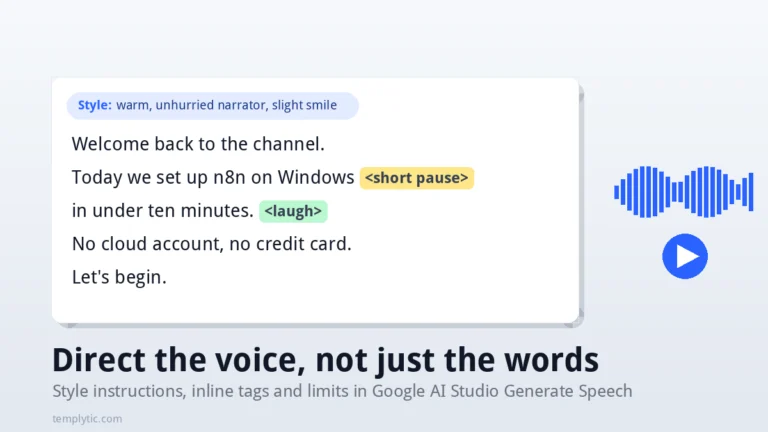
- The voice sets the timbre; the style instruction sets the delivery. Change the style before changing the voice.
- Voice design (describe a voice in a sentence) and voice replication (30-second sample plus recorded consent) are available in AI Studio with Gemini 3.8 Flash TTS, with regional limits on replication.
- AI Studio use is free with a Google account; API pricing is per token, with audio billed at 25 tokens per second.
Where the voices live in AI Studio
Open aistudio.google.com/generate-speech and sign in with a Google account. The left panel holds the model selector (Gemini 3.8 Flash TTS or Flash-Lite TTS), the single-speaker / multi-speaker mode, the voice picker and the style instructions field. The main area is the script box with a run button; the result appears below it with play and download controls. If you have never used it, our step-by-step voiceover guide walks through the first run.
All 30 prebuilt voices, grouped by character
Google tags each voice with one word. Sorted into families, the 30 voices look like this:
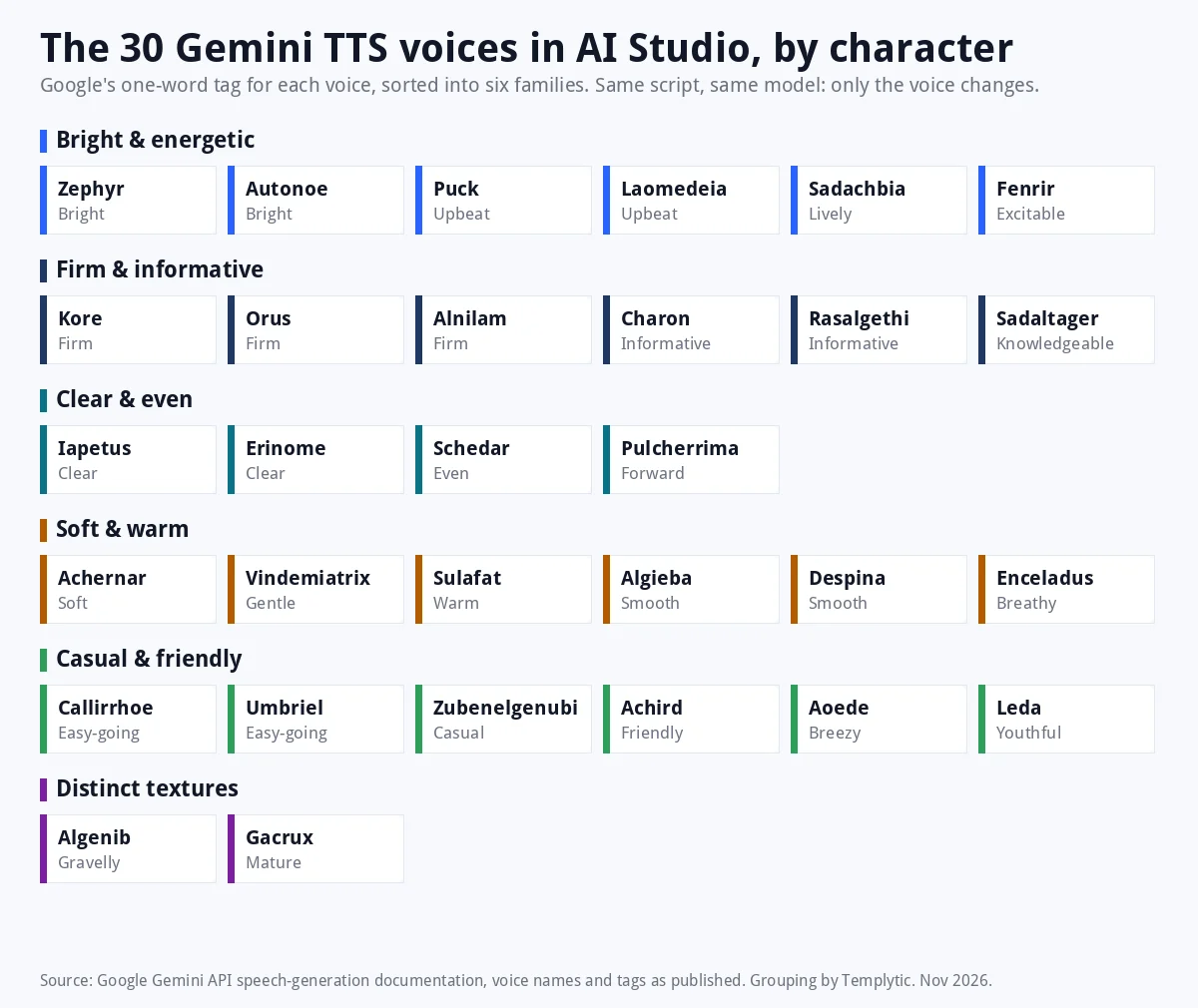
The table below adds a starting suggestion for each voice. The last column is deliberately empty: after you listen, write your own two-word impression there and keep this page as your reference. Tags are Google’s; the use-case column is our reading of them, not a measurement.
| Voice | Google’s tag | Where it tends to fit | Your note |
|---|---|---|---|
| Zephyr | Bright | Upbeat explainers, product intros | |
| Puck | Upbeat | Short ads, social clips | |
| Charon | Informative | Tutorials, documentation narration | |
| Kore | Firm | Hosts, announcements, authority | |
| Fenrir | Excitable | Hype, gaming, launches | |
| Leda | Youthful | Kids content, playful brands | |
| Orus | Firm | Corporate, serious explainers | |
| Aoede | Breezy | Lifestyle, travel | |
| Callirrhoe | Easy-going | Conversational podcasts | |
| Autonoe | Bright | Marketing, onboarding | |
| Enceladus | Breathy | Meditation, ASMR-style, intimate reads | |
| Iapetus | Clear | E-learning, step-by-step | |
| Umbriel | Easy-going | Casual vlogs | |
| Algieba | Smooth | Audiobooks, luxury brands | |
| Despina | Smooth | Narration, calm demos | |
| Erinome | Clear | Instructions, IVR-style prompts | |
| Algenib | Gravelly | Trailers, rugged brands | |
| Rasalgethi | Informative | News-style summaries | |
| Laomedeia | Upbeat | Promos, event announcements | |
| Achernar | Soft | Bedtime stories, wellness | |
| Alnilam | Firm | Finance, legal explainers | |
| Schedar | Even | Neutral narration, long documents | |
| Gacrux | Mature | Documentary, history | |
| Pulcherrima | Forward | Sales pitches, confident CTAs | |
| Achird | Friendly | Customer support, welcome messages | |
| Zubenelgenubi | Casual | Guest voice in dialogues | |
| Vindemiatrix | Gentle | Health, education for younger listeners | |
| Sadachbia | Lively | Energetic lists, countdowns | |
| Sadaltager | Knowledgeable | Expert explainers, courses | |
| Sulafat | Warm | Brand stories, testimonials |
Pro Tip: Names in the same family are not interchangeable. Kore, Orus and Alnilam are all tagged Firm, but they differ in pitch and age. When a family fits, test all of its members on the same two lines.
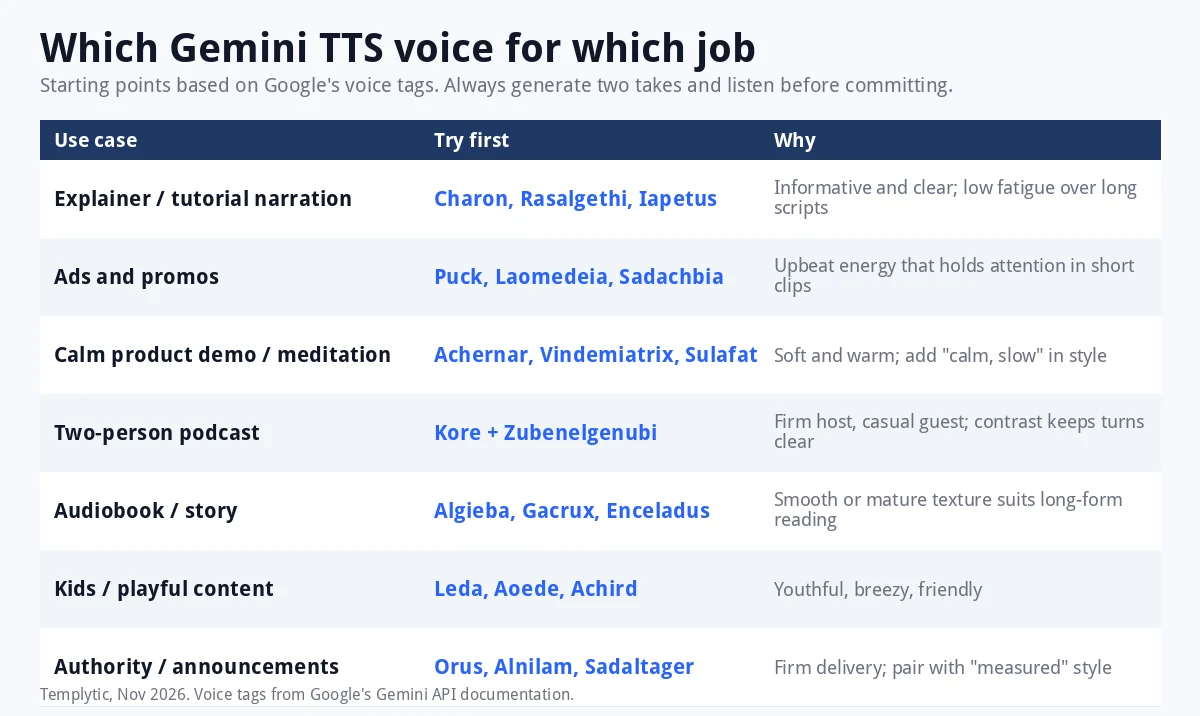
Which voice for which job
A starting point for the most common requests we see. Treat it as a shortlist, not a verdict.
A two-minute test that beats any list
- Write two lines that represent the real script: one plain sentence, one with a question or exclamation.
- Pick three candidate voices from one family.
- Generate each with an empty style field, then again with one style instruction such as “warm and unhurried”.
- Listen with headphones. Note pace, breathiness and how the question lands.
- Only then paste the full script.
The Extended Voice Library: 2,000+ voices
With the Gemini 3.8 TTS models, Google added a library it describes as 2,000+ production-ready voices, filterable by language, accent, gender, pitch and persona. This is where you go when none of the 30 feels right for a regional accent or a very specific persona. Browse by language first, then accent, and shortlist by persona; the 30 named voices remain the fastest way to get a usable result when the exact accent does not matter.
Voice design: describe the voice you want
Gemini 3.8 Flash TTS can create a voice from a natural-language description that sets role, accent and voice characteristics, for example “a calm woman in her forties, slight Irish accent, speaking like a museum guide”. Designed voices can be saved and reused; Google caps saved custom voices at 200 per project. Flash-Lite TTS lists voice replication but not voice design on Google’s model page, so design is a Flash TTS feature.
Voice replication: your own voice, with consent
Replication needs a 30-second sample of the voice and a separate recorded consent statement from the same speaker. Google states that replication through AI Studio is not available in Illinois, Texas, the EEA, the UK, Switzerland and India. Every clip from the Gemini audio models carries a SynthID watermark, and replicated audio also carries C2PA credentials. If your audience is in one of the excluded regions, plan on designed voices instead.
Languages: one voice, 130 languages
You do not pick a language. The model detects it from the script. Gemini 3.8 Flash TTS supports over 130 languages and Flash-Lite TTS over 100, including Bangla, Hindi, Arabic (standard and Egyptian), Japanese, Korean, Spanish, Portuguese and the major European languages. Accent is a property of the voice, not the language, so a Bangla script read by Kore sounds like Kore speaking Bangla.
Which model to pick
| Model | Best for | Voice design | Replication | Languages |
|---|---|---|---|---|
| Gemini 3.8 Flash TTS | Acting, dialogue, regional dialects, anything with direction | Yes | Yes | 130+ |
| Gemini 3.8 Flash-Lite TTS | High-volume narration where cost matters | Not listed | Yes | 100+ |
| Gemini 3.1 Flash TTS Preview | Legacy; Google recommends moving to 3.8 | No | No | 24 |
Google’s models page lists the 3.1 preview as legacy and the 2.5 TTS previews as available only to accounts that used them before. New work should start on 3.8.
What it costs
Using Generate Speech inside AI Studio is free with a Google account; limits are shown per project in the interface and are not published as fixed numbers. Over the API, billing is per token and audio output is counted at 25 tokens per second. Google’s pricing page lists Gemini 3.1 Flash TTS Preview at $1.00 per million input tokens and $20.00 per million audio output tokens. Third-party trackers report launch pricing for the 3.8 models of $9 (Flash) and $6 (Flash-Lite) per million audio tokens through December 31, 2026, doubling in January 2027; confirm on Google’s pricing page before budgeting, because the page we checked did not yet show 3.8 rows. For free-tier use, note that Google may use inputs and outputs to improve its products outside the EEA, Switzerland and the UK.
Frequently Asked Questions
How many voices does Google AI Studio have?
Thirty named prebuilt voices with one-word tags, plus an Extended Voice Library that Google describes as 2,000+ production-ready voices with the Gemini 3.8 TTS models, plus any voices you design or replicate yourself.
Which AI Studio voice is best for YouTube narration?
Start with Charon, Iapetus or Schedar for neutral explainers, Puck or Laomedeia for energetic content, and Sulafat or Achernar for calm, warm reads. Test three on the same two lines before choosing.
Can I use the same voice in Bangla or Hindi?
Yes. The model detects the language of the script, so any voice reads any of the 130+ supported languages. The accent stays with the voice.
Is the Google AI Studio voice generator free?
Yes, inside AI Studio with a Google account, within per-project limits shown in the interface. The Gemini API is billed per token.
Can Google AI Studio clone my voice?
Voice replication needs a 30-second sample plus a recorded consent statement, and is not available through AI Studio in Illinois, Texas, the EEA, the UK, Switzerland or India.
Can I use these voiceovers commercially?
Google’s Gemini API terms and usage policies apply. Outputs carry a SynthID watermark. Review the terms for your account type, and disclose synthetic voices where a platform requires it.
Conclusion
Pick the family first, test three members on two real lines, and let the style instruction do the fine-tuning. The 30 named voices cover most work; the library and voice design are there for accents and personas the 30 cannot reach. For the controls that shape delivery, see style instructions, tags and limits and our guide to generating voiceovers in AI Studio, and if you are producing video to go with the audio, our Google Veo 3 guide covers the visual side.
Sources
- Gemini API: Speech generation documentation (voice names and tags, languages, controls)
- Google: Gemini 3.8 Flash TTS and Flash-Lite TTS announcement (voice library, design, replication, regions, SynthID)
- Gemini API models page (model status and capabilities)
- Gemini API pricing
Last Updated on November 8, 2026 by Caleb Brooks

Comments