

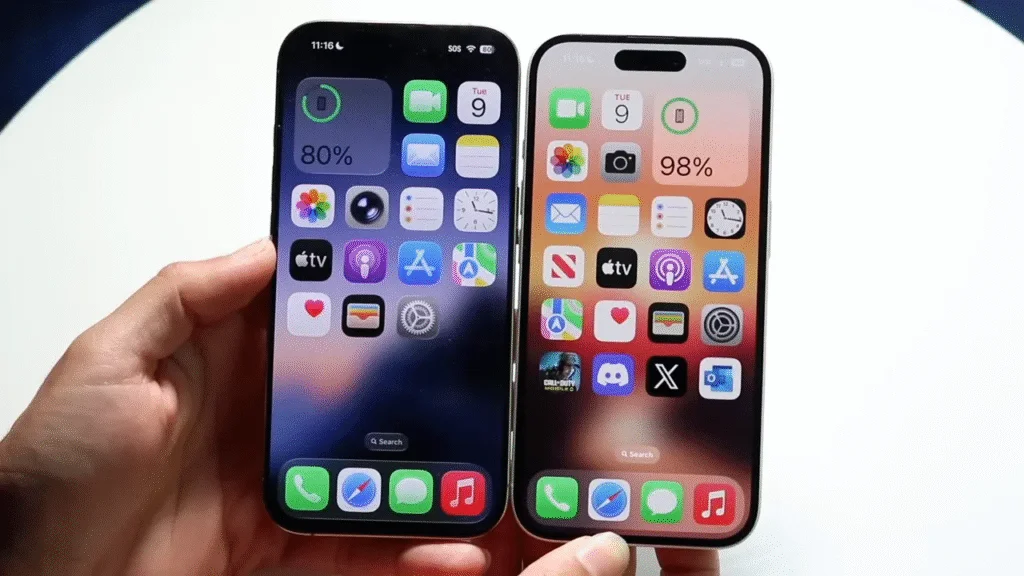
You want to know whether the iPhone 17 is worth switching to from your iPhone 16. The iPhone 17 improves the standard model with a smoother 120 Hz ProMotion display, doubled base storage, stronger everyday efficiency, a brighter screen, and an upgraded front camera. The iPhone 16 is still fast and capable, but the iPhone 17 feels like the better long-term choice if display quality, storage, and battery life matter most to you.
Quick Answer
The iPhone 17 is worth upgrading to if you want a smoother 120 Hz display, 256 GB base storage, better outdoor brightness, longer video playback, and a sharper front camera. If your iPhone 16 still feels fast and storage is not an issue, keeping it is still a smart choice.
Key Takeaways
- The biggest iPhone 17 upgrade is the move from a 60 Hz display to a 120 Hz ProMotion display.
- Base storage increases from 128 GB on iPhone 16 to 256 GB on iPhone 17.
- Battery life, brightness, and front-camera quality are stronger on the iPhone 17.
- The iPhone 16 is still a strong daily phone, so the upgrade is not essential for every user.
- The iPhone 17 makes the most sense for long-term buyers, heavy media users, and anyone who needs more storage.
Comparison Table: iPhone 17 vs iPhone 16
Here is a quick look at what changed between the standard iPhone 16 and standard iPhone 17 models.
| Feature | iPhone 16 | iPhone 17 New |
|---|---|---|
| Display size | 6.1″ | 6.3″ (slimmer bezels) |
| Refresh rate | 60 Hz | 120 Hz ProMotion |
| Always-On display | No | Yes |
| Peak brightness (outdoor) | Up to ~2,000 nits | Up to ~3,000 nits + anti-reflective coating |
| Chip | A18 | A19 |
| Battery (video playback) | Up to ~22 hours | Up to ~30 hours |
| Front camera | 12 MP | 18 MP + Center Stage (landscape) |
| Base storage | 128 GB | 256 GB (same starting price) |
| Charging | ≈50% in ~30 min (20W) | ≈50% in ~20 min (40W) |
| Wireless charging | MagSafe & Qi2 (up to 25W) | MagSafe & Qi2 (up to 25W) |
| Buttons & design | Action + Camera Control | Action + Camera Control, plus anti-reflective display |
| Port | USB-C | USB-C |
| Starting price (US) | $799 | $799 |
Note: Specs reflect the standard iPhone models. Figures marked ~ are rounded for readability and may vary by configuration, settings, battery age, network conditions, and real-world use.
Size & Display: Bigger, brighter, smoother
The iPhone 17 grows to a 6.3-inch screen, while the iPhone 16 uses a 6.1-inch display. That difference may sound small, but it gives you more space for reading, watching videos, editing photos, browsing, and typing. Slimmer bezels help the iPhone 17 keep a modern feel without making the phone feel much harder to hold.

The biggest display change is the jump to 120 Hz ProMotion. The iPhone 16 uses a 60 Hz refresh rate, which is fine for normal use, but the iPhone 17 feels smoother when you scroll through apps, move between menus, play supported games, or browse long pages.
Key display upgrades include:
- 120 Hz refresh rate — ProMotion technology makes scrolling, swiping, and animations appear more fluid.
- Always-On display — The phone can show glanceable information without requiring a tap.
- 3,000 nits brightness — Higher peak brightness helps improve visibility in direct sunlight.
- Anti-reflective coating — Reduced glare makes the screen easier to read outdoors or under bright indoor lighting.
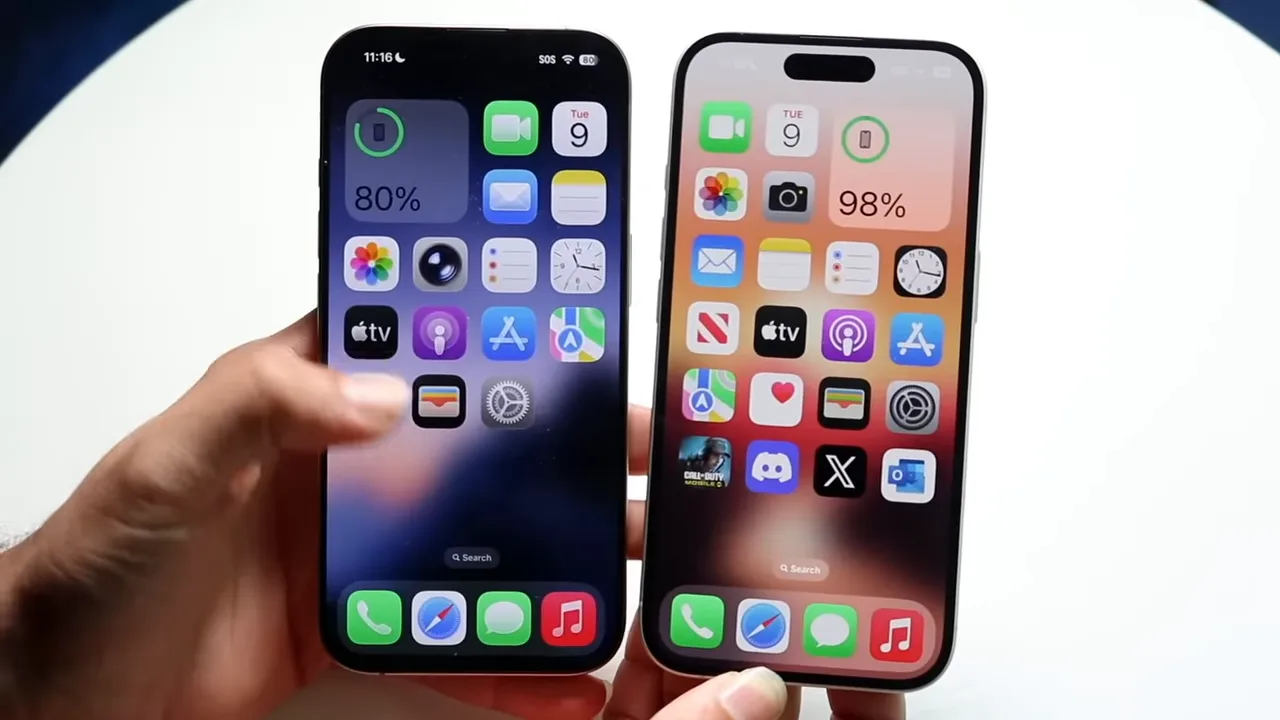
Note: The 120 Hz display is the upgrade you are most likely to feel immediately. Even if app speed feels similar, scrolling and animations usually look smoother on the iPhone 17.
Performance: A19 chip and snappier experience
The A19 chip powers the iPhone 17, while the iPhone 16 uses the A18 chip. Both phones are fast enough for everyday tasks, including messaging, browsing, maps, video streaming, social apps, and camera use. The difference matters more if you plan to keep your phone for several years or use heavier apps.

The A19 chip improves app launch times, multitasking, gaming performance, camera processing, and power efficiency. It also helps the phone maintain better performance during demanding tasks, such as editing high-resolution media, gaming for longer sessions, or switching between several apps quickly.
While the iPhone 16 remains capable for daily use, the A19 chip gives the iPhone 17 better longevity. You may not notice a dramatic change in basic tasks on day one, but the newer chip can help the phone feel fresh for a longer period as apps and iOS updates become more demanding.
Design tweaks: Same basics, some refinements
Apple keeps the familiar layout on the iPhone 17. You still get the Dynamic Island, USB-C port, Action button, and Camera Control button. That means the iPhone 17 does not require a learning curve if you already use an iPhone 16.
Small changes improve the daily experience:
- Anti-reflective coating — This helps reduce glare on the display in bright lighting conditions.
- Consistent interface — You do not need to relearn gestures, buttons, or navigation.
- Physical buttons — The Action and Camera Control buttons remain in their familiar positions.
- Slimmer bezels — The screen feels more modern while keeping the phone manageable.

The iPhone 17 is not a full redesign. It is better described as a refinement of the iPhone 16 formula. That is good if you like the current iPhone design, but less exciting if you were hoping for a completely new look.
Battery & Media: Longer video playback
The iPhone 17 gains a clear battery advantage, especially for video playback. Compared with the iPhone 16, it offers about eight more hours of video playback based on the rounded figures in the comparison table. This can make a noticeable difference during long travel days, commutes, streaming sessions, or busy workdays away from a charger.

The iPhone 17 is also better for media because of its brighter display, larger screen, and smoother refresh rate. If you watch a lot of YouTube, Netflix, TikTok, sports, or downloaded videos, the upgrade feels more useful than it does for someone who mainly sends messages and checks email.
Pro Tip: Upgrade value depends on your battery habits. If your iPhone 16 still ends the day with plenty of charge, the battery gain alone may not justify switching. If you charge during the day often, the iPhone 17 will feel more practical.
Front Camera & Center Stage: Better landscape video calls
The iPhone 17 includes an upgraded 18 MP front camera with Center Stage support. This is a meaningful improvement over the iPhone 16’s 12 MP front camera, especially if you use FaceTime, Zoom, Teams, social video, or landscape video calls often.
Center Stage helps keep you framed during video calls, even when you shift slightly or move within the frame. Landscape support also makes calls look more natural when your phone is placed on a stand or used for work meetings, family calls, or content creation.

This upgrade matters most for people who record themselves, attend video meetings, or make frequent video calls. If you rarely use the front camera, it is a nice bonus rather than a main reason to upgrade.
Storage & Price: More storage, same price
Apple increased the base storage to 256 GB for the iPhone 17. The iPhone 16 starts at 128 GB, which is still usable, but it can fill quickly if you take many photos, record video, download offline media, or keep lots of apps installed.

The storage upgrade improves the iPhone 17’s value because you receive more room at the starting tier. This matters if you usually buy the base model and keep your phone for several years. More storage also reduces the need to constantly delete apps, videos, or photos.
For many buyers, this may be the most practical upgrade after the display. A smoother screen is easy to notice, but extra storage can make the phone less stressful to use over time.
Charging and wireless charging
Charging is another useful difference. The iPhone 16 reaches about 50% in around 30 minutes with 20W charging, while the iPhone 17 reaches about 50% in around 20 minutes with 40W charging. That shorter top-up time can help when you need a quick charge before leaving home.
Wireless charging stays similar between both models, with MagSafe and Qi2 support up to 25W. If you already own MagSafe chargers or Qi2 accessories, you should still be able to use the same general charging setup with the iPhone 17.
Who should upgrade to the iPhone 17?
The iPhone 17 is a smart upgrade if you want the improvements you can feel every day. It is especially useful if your phone is your main camera, entertainment screen, work device, and travel companion.
You should consider upgrading if:
- You want a larger, smoother 120 Hz display.
- You are tired of the 60 Hz feel on the iPhone 16.
- You need better outdoor brightness.
- You want an Always-On display.
- You often run low on battery during video playback or heavy daily use.
- You need more than 128 GB of storage.
- You record videos, take many photos, or download lots of apps.
- You use video calls often and want the upgraded front camera with Center Stage.
- You plan to keep your next phone for several years.
Who should keep the iPhone 16?
The iPhone 16 is still a capable phone for most users. If it feels fast, the battery still lasts long enough, and 128 GB storage is not causing problems, upgrading may not be necessary.
You can safely keep the iPhone 16 if:
- You mainly use your phone for calls, texts, browsing, maps, and social media.
- You do not care much about 120 Hz scrolling.
- You already have enough storage space.
- Your battery life still meets your daily needs.
- You do not use the front camera often.
- You prefer saving money instead of upgrading every year.
Warning: Do not upgrade only because the iPhone 17 is newer. If your iPhone 16 already fits your needs, the smarter move may be waiting another year or upgrading only when battery health, storage, or performance becomes a real problem.
Should you upgrade from the iPhone 16?
The iPhone 16 performs well for most users. If you feel satisfied with its speed, battery life, camera, and storage, you do not need to rush into a new model. The iPhone 17 is a better phone, but the upgrade is most valuable when you care about the specific improvements it adds.
You might want to upgrade if you prioritize these features:
- You want a larger, 120 Hz display for smoother visuals.
- You need the extra outdoor screen brightness or the Always-On display.
- You watch video frequently and want the eight-hour battery gain.
- You need more than 128 GB of storage for your apps and media.
- You lead video calls and want the convenience of Center Stage.
- You want faster wired charging for quick top-ups.
For a first-time buyer choosing between the two, the iPhone 17 is the stronger long-term purchase because it starts with more storage and includes the smoother display. For current iPhone 16 owners, the decision depends on how much you value those upgrades versus the cost of switching.
Best upgrade decision by user type
| Heavy media user | Upgrade to iPhone 17 for the bigger display, 120 Hz refresh rate, brighter screen, and longer video playback. |
| Casual user | Keep the iPhone 16 if it still feels fast and battery life is enough. |
| Storage-limited user | Upgrade if 128 GB feels tight and you want 256 GB at the base level. |
| Video-call user | Upgrade if the 18 MP front camera and Center Stage will improve your calls or content. |
| Budget-focused buyer | Keep the iPhone 16 or choose it at a discount if the iPhone 17 features are not must-haves. |
Frequently Asked Questions
Is the Dynamic Island different on the iPhone 17?
No. The Dynamic Island works in the same basic way on both models. The bigger difference is the iPhone 17 display experience, including 120 Hz ProMotion, higher brightness, and Always-On display support.
Does iPhone 17 keep USB-C?
Yes. The iPhone 17 continues to use USB-C and keeps the same general camera button layout. This makes the switch from iPhone 16 easier because your basic charging and connection habits stay familiar.
How much brighter is the iPhone 17?
The iPhone 17 display reaches up to about 3,000 nits of peak outdoor brightness, compared with about 2,000 nits on the iPhone 16. This can make outdoor reading, maps, photos, and media easier to see in bright light.
Will battery life be noticeably better?
Yes, especially for video playback and longer media use. The iPhone 17 offers a clear battery-life gain in the comparison table, though real-world battery results depend on screen brightness, signal strength, apps, settings, and battery age.
Is the base storage increase worth upgrading for?
It can be worth it if you often run out of space. Moving from 128 GB to 256 GB gives you more room for photos, videos, apps, games, and offline downloads without immediately needing a higher storage tier.
Is iPhone 17 better than iPhone 16 for gaming?
Yes, the iPhone 17 is the better gaming choice because it combines the A19 chip with a smoother 120 Hz display. The iPhone 16 can still play modern games well, but the iPhone 17 should feel smoother in supported titles.
Should I upgrade from iPhone 16 to iPhone 17 or wait?
Upgrade now if you want 120 Hz, more storage, better brightness, longer video playback, and the improved front camera. Wait if your iPhone 16 still feels fast, has enough storage, and gets you through the day on one charge.
Final thoughts
The iPhone 16 remains a capable device for most users, but the iPhone 17 provides meaningful refinements for people who value speed, display quality, storage, and battery life. The jump to a 120 Hz refresh rate and 256 GB base storage makes the iPhone 17 a stronger long-term purchase, especially if you are buying a new phone today.
If you already use the iPhone 16, the upgrade is more personal. Switch to the iPhone 17 if the smoother screen, better brightness, stronger battery life, faster charging, and larger storage solve problems you actually notice. Keep the iPhone 16 if it still works well and you would rather wait for a bigger redesign later.
Last Updated on June 27, 2026 by Logan Carter

