

You may be able to claim one year of ChatGPT Go for free if your OpenAI account is eligible for the India promotional offer. This guide walks you through checking the offer, completing checkout, confirming your subscription, managing payment details, and avoiding unwanted renewal charges when the free period ends.
Quick Answer
To get the ChatGPT Go free year offer, sign in to your OpenAI account from India and look for the subscription prompt. If your account is eligible, complete checkout with a valid payment method, verify that ChatGPT Go is active, and set a reminder before the 12-month promo ends.
Key Takeaways
- The free year offer is only available to eligible accounts, so not every user in India will see it.
- You may still need to add a payment method, such as UPI or a card, to complete checkout.
- Check your subscription status after checkout so you know the plan is active and when the free period ends.
- Cancel or manage the subscription before renewal if you do not want to be charged later.
At a Glance
| Time Required | About 5 to 10 minutes if the offer appears in your account |
| Difficulty | Easy |
| Tools Needed | OpenAI account, ChatGPT web or mobile app, eligible India account, and a payment method |
| Cost | Free during the promotional period for eligible users, but billing may renew later unless cancelled |
Eligibility and Requirements
OpenAI occasionally releases limited-time promotions for specific regions. This 12-month ChatGPT Go offer was presented for eligible users in India. Participation usually depends on your account, region, platform, and offer availability at the time you check.
- The offer appears only on eligible accounts within India.
- You must sign in with the OpenAI account you want to use for ChatGPT Go.
- You may need to provide a payment method, such as a UPI ID or credit card, to complete the checkout process.
- Promotions usually limit redemptions to one per eligible account.
- The offer may not appear if your account, location, app version, or billing setup does not meet the promo requirements.
Note: Seeing a post or screenshot about the offer does not guarantee that your account can claim it. Always confirm eligibility inside your own ChatGPT account before adding payment details.
Troubleshooting Missing Offers
If you don’t see the free subscription banner, your browser, app, account, or region settings may be affecting the display. Try these steps to refresh the page and check whether the offer appears:
- Clear your browser cache and cookies, then refresh the dashboard at chat.openai.com.
- Verify that your account region settings match your location in India.
- Switch between the web version and the official ChatGPT Android app to see if the offer appears elsewhere.
- Update the ChatGPT app if you are using an older version.
- Sign out and sign back in to confirm you are checking the correct OpenAI account.
- Try a different browser or device if the payment or subscription page fails to load.
Completing the Checkout Process
Click the subscribe button to open the payment page once you see the offer. Review the plan name, free period, renewal terms, and total due before confirming. You must enter your billing details to finalize the transaction. You may need to provide a GST number if you register as a business.
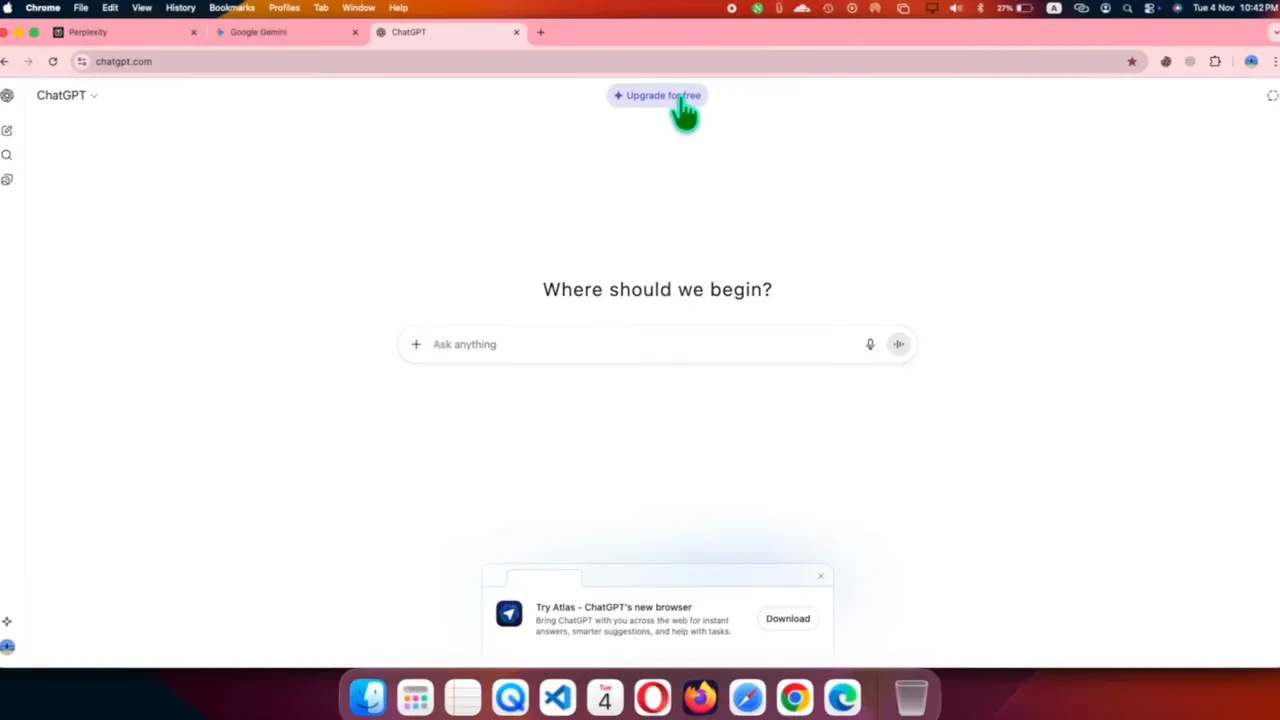
- Open ChatGPT and sign in to your OpenAI account.
- Look for the ChatGPT Go promotional banner or upgrade prompt.
- Select the offer and review the checkout page carefully.
- Add your payment method, such as UPI or a card, if requested.
- Confirm the checkout only after the page shows the correct promotional price and free period.
- Save the confirmation email, receipt, or subscription screenshot for your records.
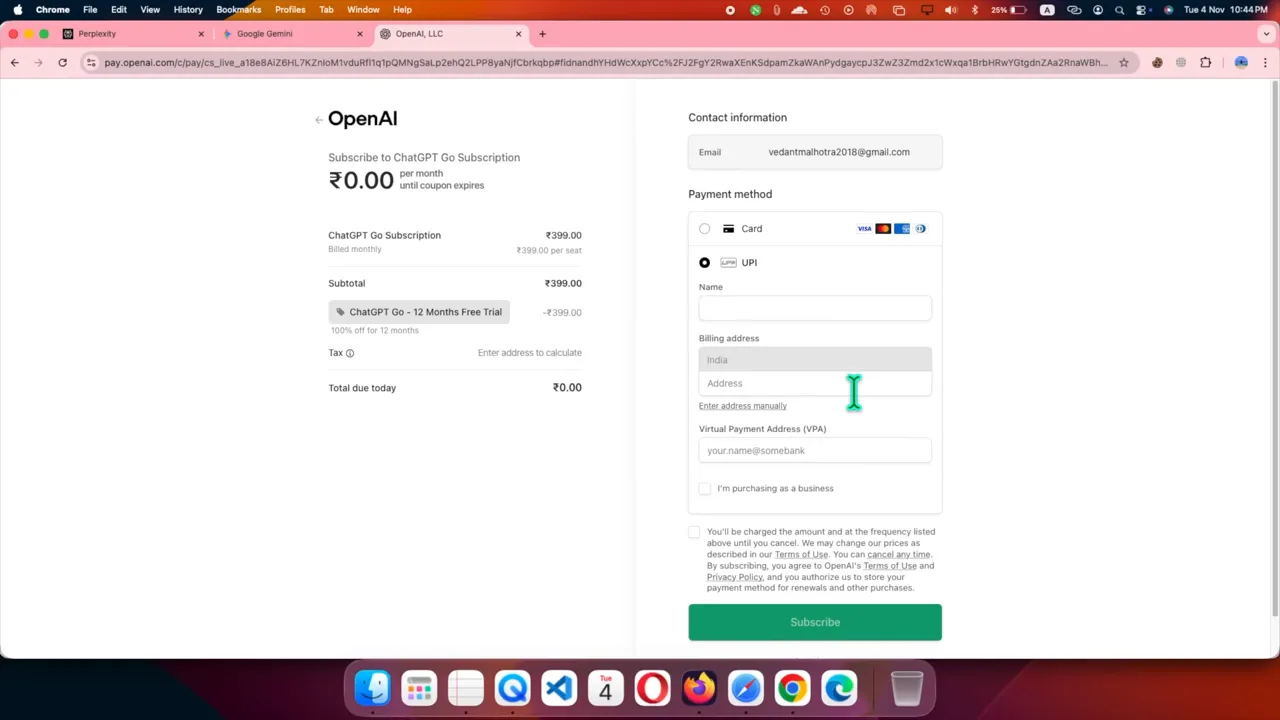
Warning: Do not continue if the checkout page does not clearly show the free promotional period or shows an unexpected charge. Review the plan, payment method, and renewal details before confirming.
Verifying Subscription Status
Banks often place a small temporary hold on your account for verification purposes. You should receive a confirmation message stating that you are subscribed to ChatGPT Go.
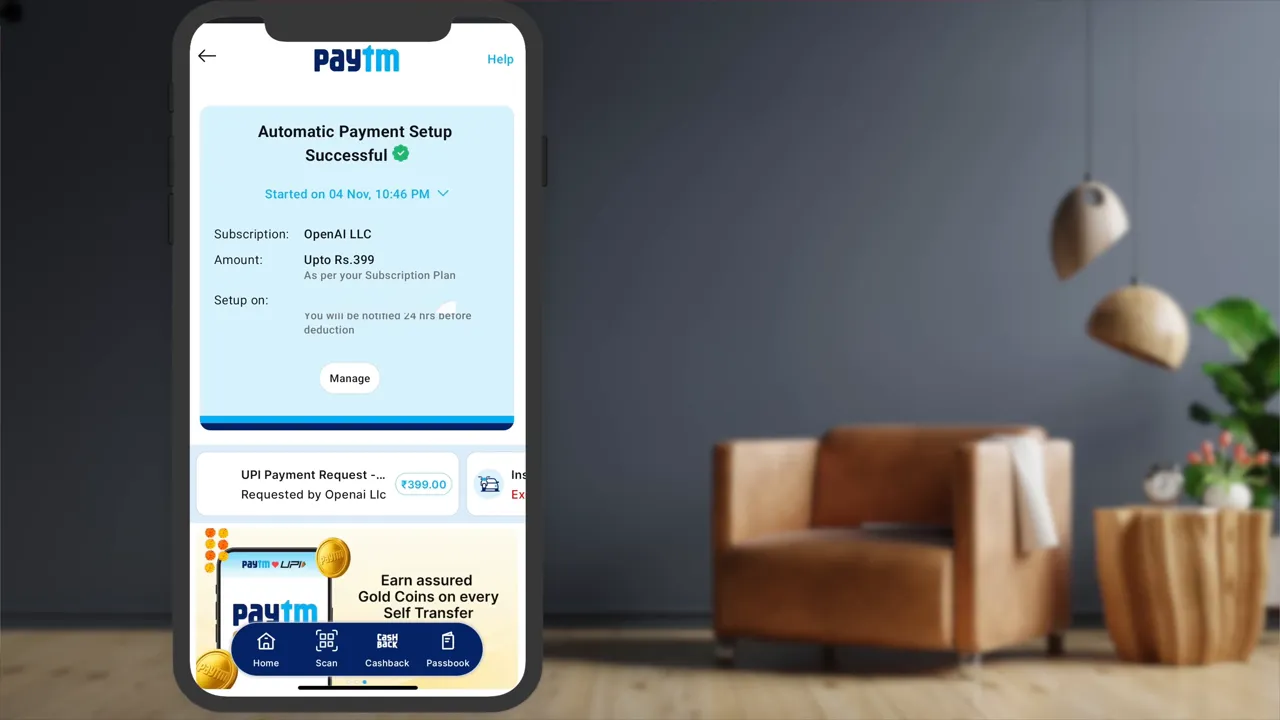
Check your subscription details by opening the account menu and selecting Manage. This screen should list your current plan and the expiration date for the promotion. Keep a copy of the confirmation page, because it can help if you later need to review the billing date or contact support.
Also check your bank, card, or UPI app after signup. A small verification hold may appear temporarily, but any charge that looks permanent or unauthorized should be reviewed with your financial provider.
Managing Future Renewals
To prevent automatic billing after the free year, cancel your subscription through the same platform you used to sign up. Early cancellation may result in immediate loss of access, so set a reminder to cancel shortly before the promo ends.
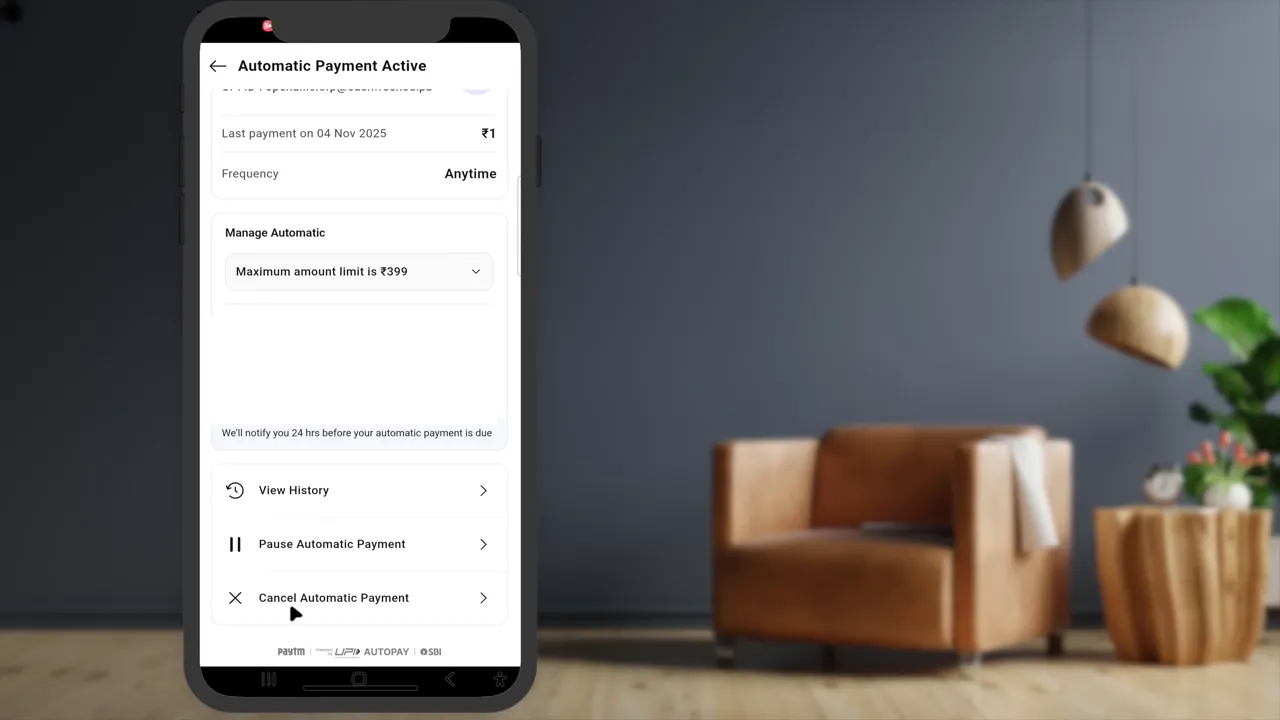
For web subscriptions, navigate to Account, then Manage, and review the cancellation option. If you subscribed through a mobile app store, manage the billing through your Google Play or Apple ID settings. You can also disable UPI Autopay mandates within your banking app for extra peace of mind.
Pro Tip: Create two reminders after signup: one for a month before the free period ends and another for a few days before renewal. This gives you enough time to decide whether to keep or cancel ChatGPT Go.
Using the Mobile App
The redemption process works similarly on the mobile app. Sign in to your account and follow the same steps shown in the app. If you encounter issues on one device, try the other to see if the offer is available.
If you claim the offer through an app store, remember that cancellation and renewal management may happen through that store rather than directly through the ChatGPT web account page. Always check the same platform you used during checkout.
Common Problems and Quick Fixes
Most signup problems happen because the offer is not available for the account, the payment method fails, or the checkout page does not load correctly. Use the fixes below before trying again.
- Offer does not appear: Confirm you are signed in, check the app and web version, and make sure your account is eligible.
- Payment method fails: Try another supported payment method or confirm that your bank allows online or recurring payments.
- UPI mandate issue: Open your UPI or banking app and check whether the mandate needs approval.
- Wrong account upgraded: Sign out, confirm the email address, and avoid using multiple accounts during checkout.
- Subscription not showing: Refresh your account page, check your email confirmation, and review the Manage subscription screen.
How to Avoid Unwanted Charges
The safest way to avoid unwanted charges is to track your renewal date from the first day you claim the offer. Save your confirmation details, review the renewal terms, and decide before the free period ends whether the plan is still worth keeping.
- Write down the exact subscription start date and expected end date.
- Save the checkout confirmation and any email receipt.
- Check whether the subscription renews through OpenAI, Google Play, Apple, card billing, or UPI Autopay.
- Cancel on the same platform you used to subscribe.
- Contact your financial provider if you see a charge you do not recognize.
Conclusion
Claiming your free year of ChatGPT Go is a straightforward process when the offer appears in your account and the checkout page shows the correct promotion. Check your eligibility, complete payment verification carefully, confirm that the plan is active, and save the renewal date. With a reminder in place, you can enjoy the free period while staying in control of future billing.
Last Updated on June 27, 2026 by Logan Carter

